
From booking to check-out, keep the entire patient visit moving
Appointment Flow connects patient access, registration, walk-ins, check-in, clinic queues, provider coordination, payments, and communication through one operational workflow
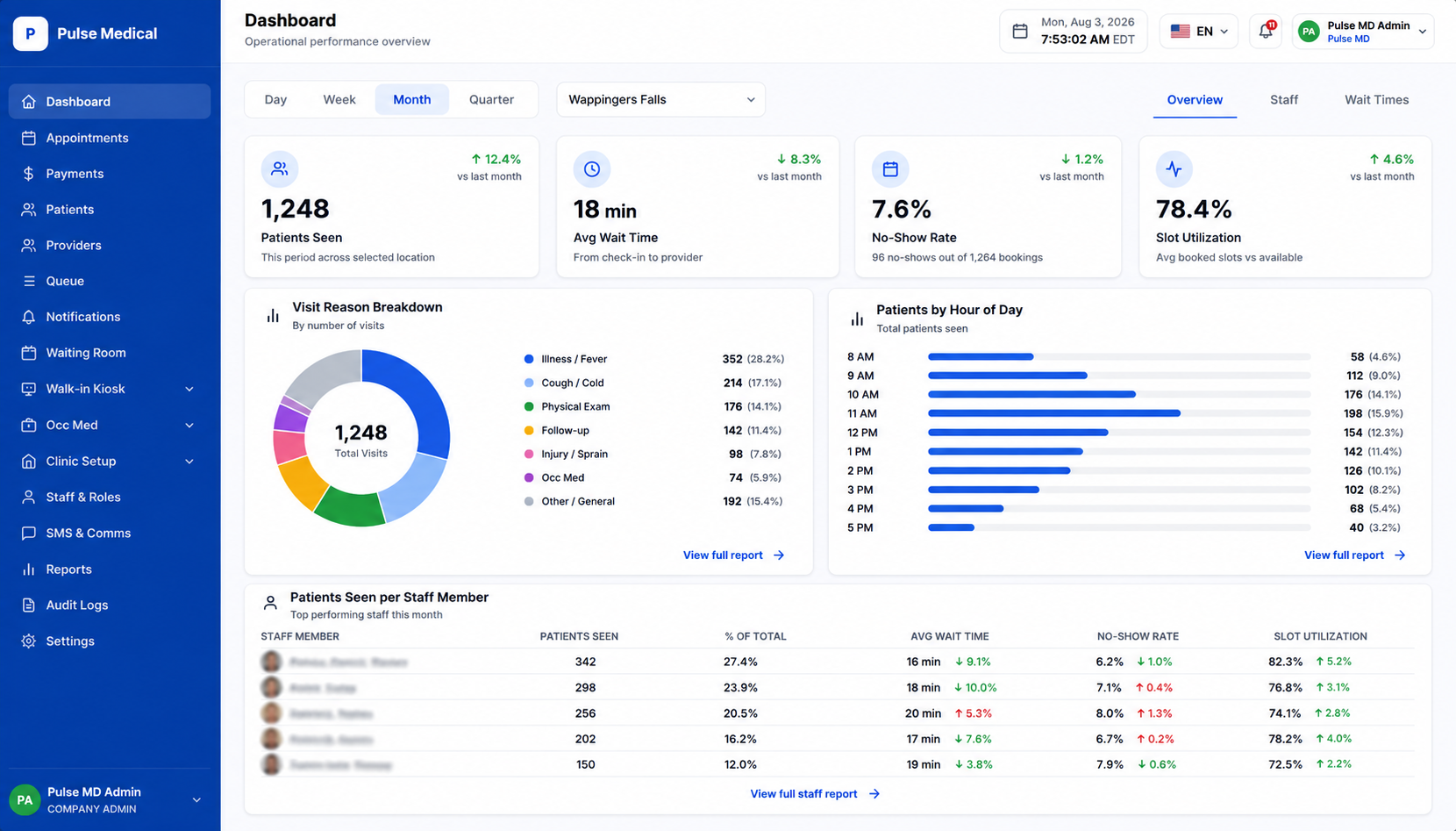
Full Visit Journey
One connected workflow across the entire patient visit
Eliminate operational blind spots by connecting every step of the patient encounter in a unified operational board
Book or Walk In
Patients can request appointments online or enter the clinic’s walk-in queue effortlessly
Complete Registration
Collect demographics, insurance cards, documents, conditional forms, consents, and e-signatures
Check In and Join Queue
Give staff visibility into arrivals, registration status, waiting patients, and operational delays
Coordinate the Visit
Allow authorized staff and providers to manage assignments, rooms, statuses, documents, and visit flow
Collect & Reconcile Payments
Record front-desk payments, send secure payment links, and maintain daily reconciliation visibility
Complete and Follow Up
Track visit completion, follow-up requirements, patient communication, and related operational activity
Central Active Board and Provider Workflows
Give authorized front-desk teams, clinical staff, and providers real-time visibility into scheduled appointments, walk-ins, registration status, waiting patients, provider assignments, and visit progress
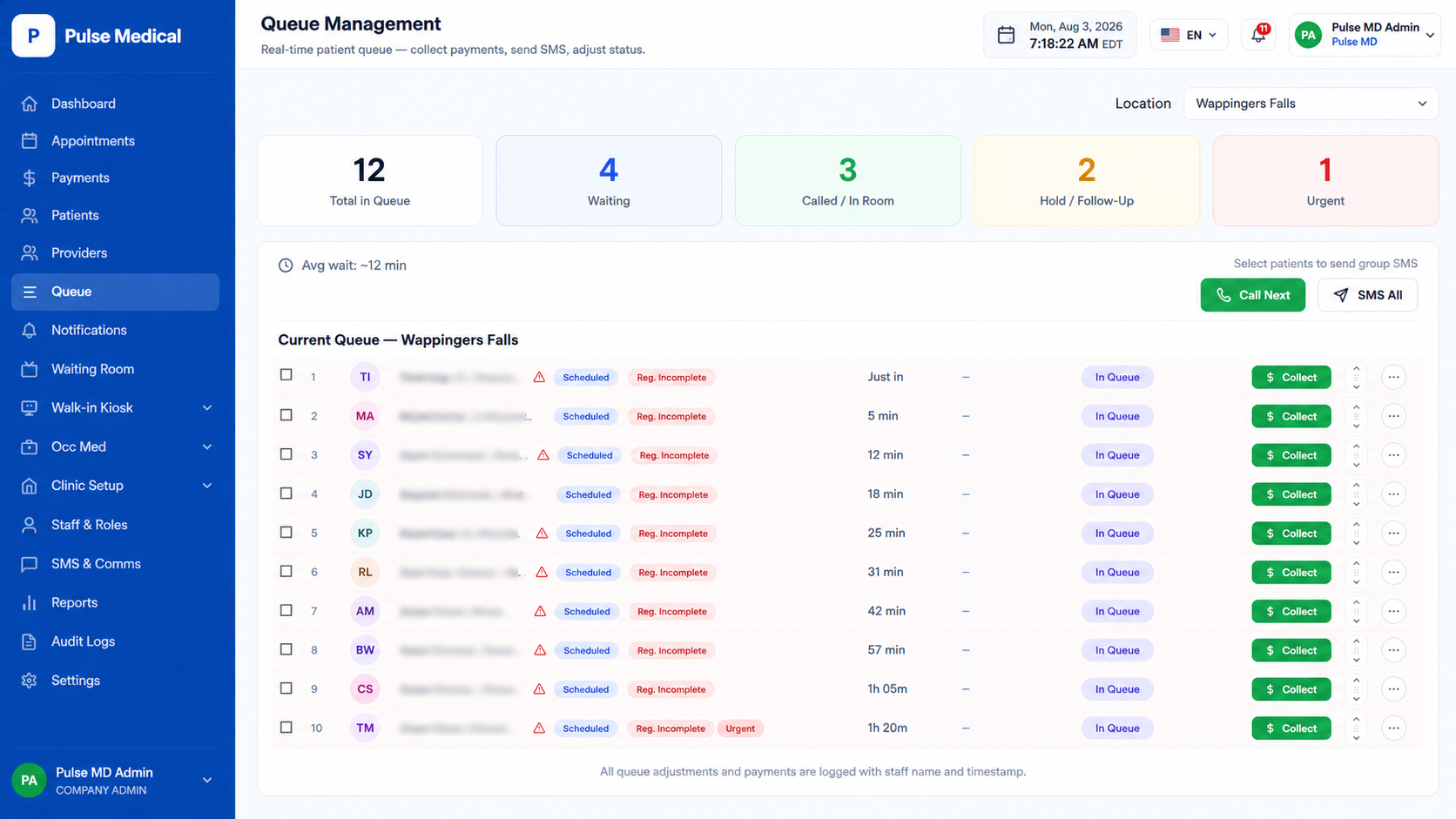
Manage employer-sponsored care from request to results
Appointment Flow connects employer accounts, employee scheduling, service authorization, clinic coordination, results access, communication, and billing within one structured Occupational Medicine workflow
Employer Request
An employer selects the employee, requested service, preferred location, billing responsibility, and visit requirements through a structured request workflow
Employee Scheduling
Service Authorization
Clinic Visit
Results and Documentation
Billing and Follow-Up
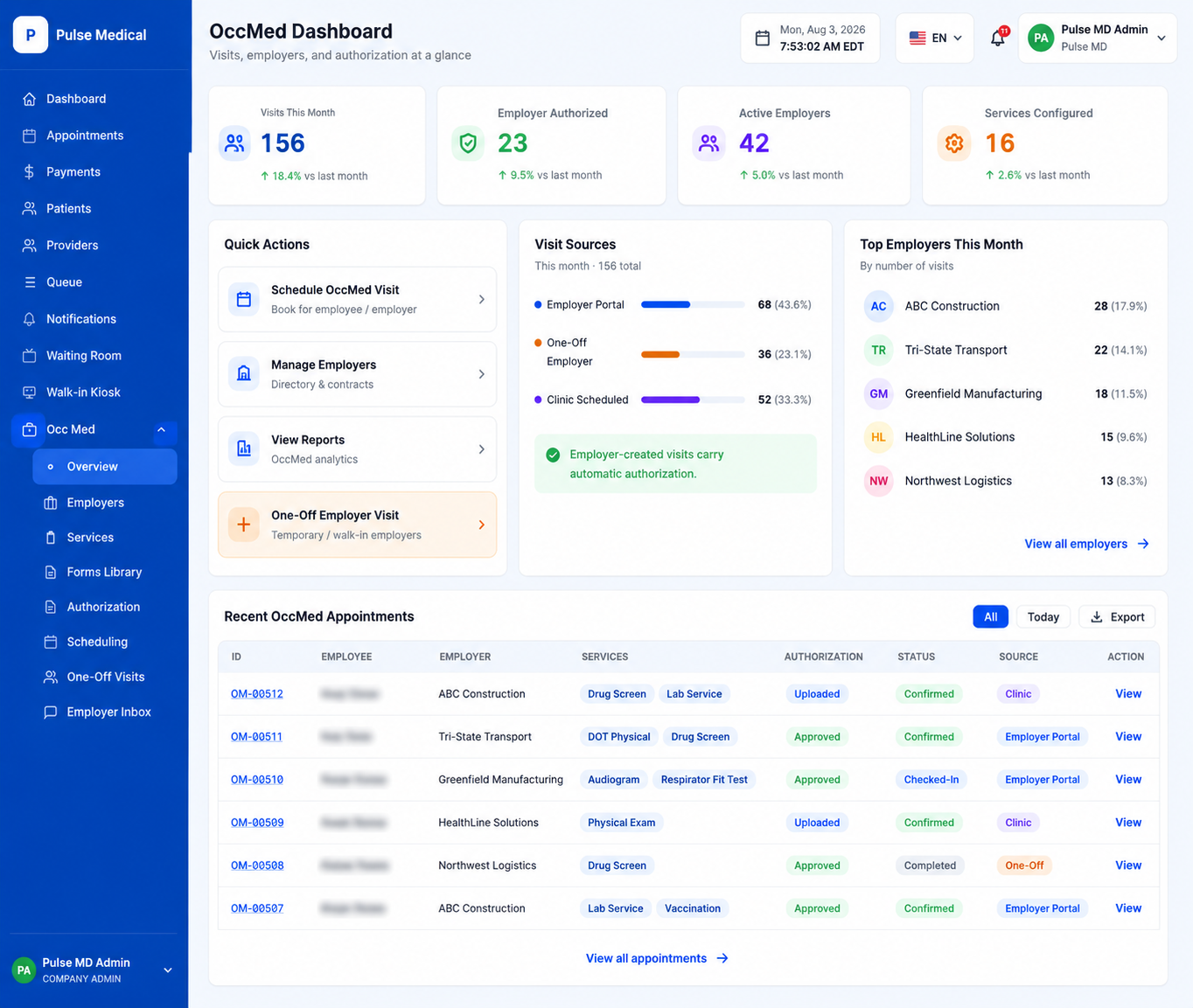
Support one-time employer visits without creating operational delays
Create a temporary employer record, capture employee and authorization details, complete the visit, manage billing follow-up, and convert the organization into a full employer account while preserving the original visit history
Temporary Employer
Record company details, contact person, and one-off service request quickly
Completed Visit
Provide care, release approved results, and record employer payment details
Employer Account
Convert into a full organization profile while keeping past visit records intact
Keep employer communication organized and secure
Employer representatives can communicate with authorized clinic staff through a shared support workflow while sensitive information remains inside the secure portal
Employer sends a secure message
Message routes to authorized team
Staff member responds
Employer receives portal notification
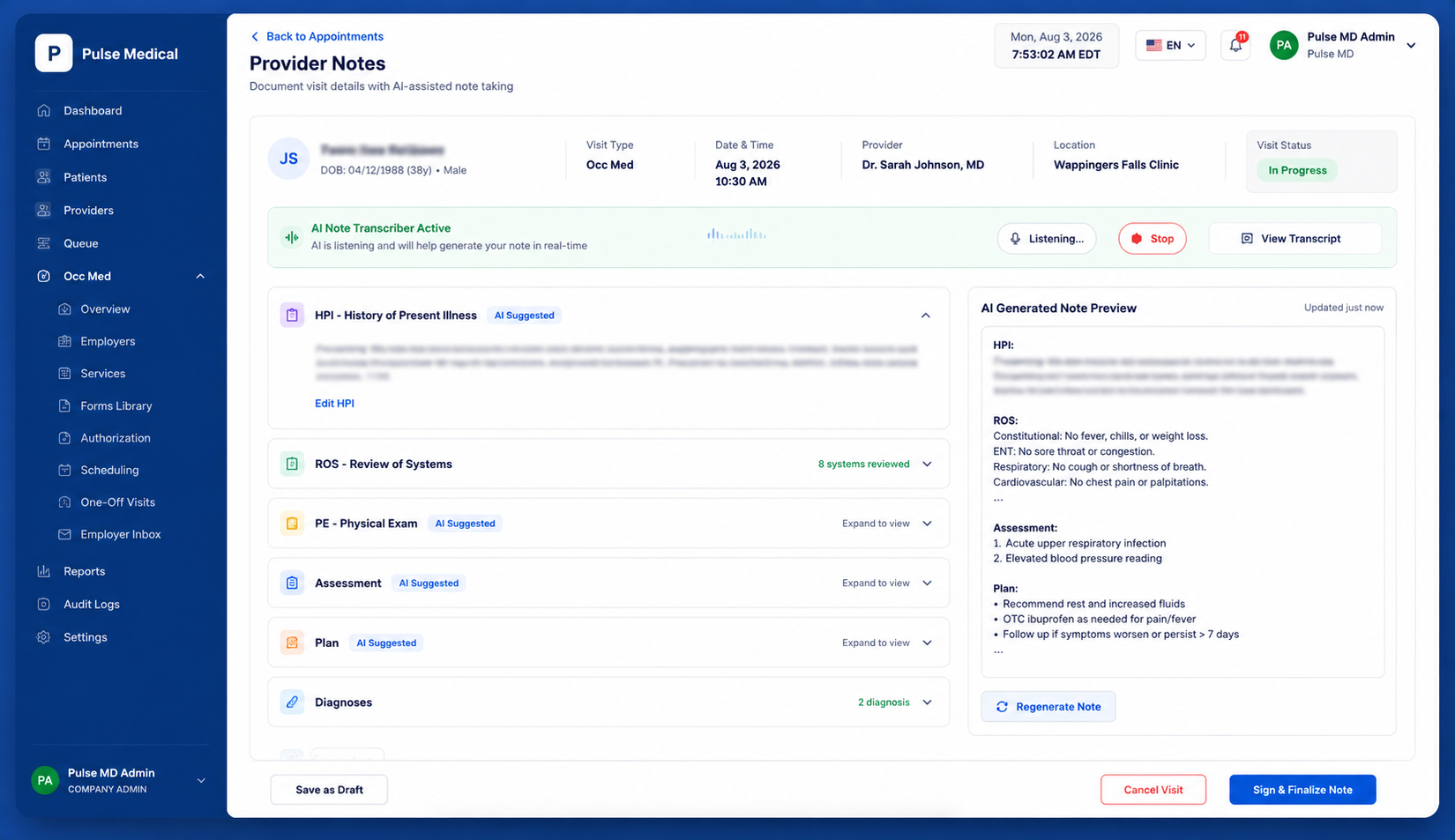
Support provider documentation with AI-assisted note taking
Help providers organize visit information, prepare structured documentation, and reduce repetitive note-entry work while keeping the provider in control of the final record
Connect Appointment Flow with the systems your organization already uses
Appointment Flow is designed to work alongside existing healthcare technologies, helping organizations connect patient access, clinical operations, communication, payments, documentation, and revenue workflows through approved integrations
Appointment Flow
Connected Patient Access and Clinic Operations
EMR and Practice Management
Connect appointment, patient, provider, and visit information with approved clinical and administrative systems
Payments
Communication
Clinical Documentation
Labs and Diagnostics
Billing and RCM
Flexible Integration
Connect with external systems based on available APIs, approved access, and organizational requirements
Phased Adoption
Introduce Appointment Flow without forcing an immediate replacement of every existing technology or operational process
Connected Workflows
Reduce manual handoffs by allowing patient, appointment, communication, payment, and operational information to move between approved systems
Integration options can be evaluated based on the capabilities, APIs, security requirements, and access provided by each external system
See how Appointment Flow can connect your patient-access and clinic operations
Schedule a conversation with our team to explore online booking, digital registration, active boards, and provider portals